Production-Ready QA Prompts: The Copy-Paste Library
A copy-paste library of production-ready QA prompts for real testing work. Screenshots, videos, test cases, acceptance criteria, and production bugs no theory, just usable prompts.
Test automation has become a crucial part of modern software development, and AI-driven testing is the next frontier. This category explores tools, frameworks, and best practices for automation testing using Selenium, Playwright, Cypress, and other industry-leading frameworks. We also dive into AI-driven testing approaches, self-healing test scripts, and automation strategies for faster and more reliable test execution. Whether you’re new to test automation or looking to integrate AI into your testing process, this section provides the guidance you need.

A copy-paste library of production-ready QA prompts for real testing work. Screenshots, videos, test cases, acceptance criteria, and production bugs no theory, just usable prompts.
CI passed. Staging was green. Users still broke it. Most teams already test in production, they just call it “rolling out behind a flag” or “watching the logs closely.” This isn’t about justifying recklessness. It’s about naming what actually happens when systems outgrow certainty.
Most QA teams treat Cypress as just another UI automation tool. They’re missing out on API testing, network stubbing, database validation, and debugging features that make automation actually maintainable. This guide shows you how to use Cypress as a full-stack testing framework and testing APIs directly, stubbing network responses, validating database state, and catching integration bugs that separate tools would miss. Includes working examples using the QA Journey Playground.
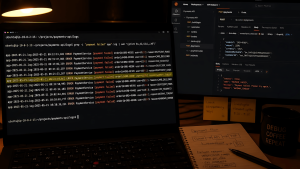
429 and 500 errors are a QA’s constant companions, especially during checkout testing. Here’s why these errors show up repeatedly in payment flows, how to professionally handle “works on my machine” pushback from devs, and why catching these errors before production is exactly what QA is supposed to do.
Practical manual API testing guide for QA testers. Covers Postman, Gherkin test cases, edge cases, error handling, authentication, and real-world scenarios you can start practicing today.
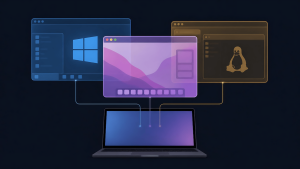
Testing across Windows, macOS, and mobile devices means paying for annotation tools on every platform doesn’t scale. Discover the free, built-in screenshot and screen recording tools that actual QA testers use for UAT testing and bug reporting, no subscriptions required.
Stop chasing the automation meta. Learn why framework choice is secondary to your testing strength, and how to build your automation path around YOUR playstyle—not the trend.
Most AI prompt guides for QA are useless—they treat AI like a vending machine. Here’s the real workflow: how to train AI like a junior tester, course-correct mid-generation, and use it for screenshots, bug reports, and acceptance criteria validation. AI catches technical issues, but you still provide the judgment. This is how guerrilla QA uses AI without replacing critical thinking.
After 3 years leading autonomous QA engineering teams, I’ve developed the QA Excellence System—a 4-component approach transforming teams from reactive testing to strategic quality leadership. Includes QA Framework foundation, AQLM methodology, scalable implementation, and shift-left optimization.
Most shift-left testing advice assumes perfect CI/CD pipelines and dedicated QA teams. But what about the reality of 5 devs to 1 QA? Here’s how to make shift-left work with actual constraints, not Silicon Valley fantasy setups.