Why Cypress is More Than UI Automation (And How Most Teams Get It Wrong)

Testing pyramid showing API tests as foundation with integration tests middle layer and UI tests at top for optimal automation strategy

Most QA teams treat Cypress as just another UI automation tool. They’re missing out on API testing, network stubbing, database validation, and debugging features that make automation actually maintainable. This guide shows you how to use Cypress as a full-stack testing framework and testing APIs directly, stubbing network responses, validating database state, and catching integration bugs that separate tools would miss. Includes working examples using the QA Journey Playground.

Why Error 429 and Error 500 Are a QA’s Best Friends: The Daily Reality of Testing Critical Flows

Split screen illustration of developer calmly saying "works on my machine" versus QA analyst surrounded by 429 and 500 error messages in flames during checkout testing

429 and 500 errors are a QA’s constant companions, especially during checkout testing. Here’s why these errors show up repeatedly in payment flows, how to professionally handle “works on my machine” pushback from devs, and why catching these errors before production is exactly what QA is supposed to do.

Website Annotation Tools for UAT Testing & QA : Why I Use Free, Built-in Tools Across Multiple Devices

A QA tester managing multiple testing devices including Windows PC, MacBook, Android and iOS phones in a futuristic neon-lit workspace

Testing across Windows, macOS, and mobile devices means paying for annotation tools on every platform doesn’t scale. Discover the free, built-in screenshot and screen recording tools that actual QA testers use for UAT testing and bug reporting, no subscriptions required.

Training AI to Think Like a QA: A Real-World Testing Approach

QA engineer using AI chat interface to generate bug reports from application screenshots while reviewing and correcting the output in a modern testing workflow

Most AI prompt guides for QA are useless—they treat AI like a vending machine. Here’s the real workflow: how to train AI like a junior tester, course-correct mid-generation, and use it for screenshots, bug reports, and acceptance criteria validation. AI catches technical issues, but you still provide the judgment. This is how guerrilla QA uses AI without replacing critical thinking.

The Lost Art of Debugging in QA: Why It’s More Than Just Finding Bugs

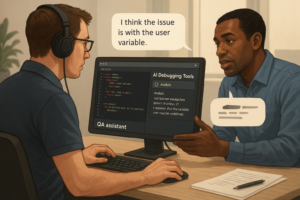
Debugging is a key skill for QA professionals, and it’s more than just finding bugs. It’s about identifying root causes, preventing future issues, and collaborating effectively with developers. Learn why manual testing with AI assistance leads to better results and how it complements automation in finding edge cases and complex bugs.

Automate Like a Pro: Real-World QA Testing with Playwright (No CI/CD Required)

Use Playwright to automate your QA workflow across real-world test cases—without needing CI/CD. We cover everything from form validation to iframe handling, and it’s all open-source via our repo and test sandbox.

Pushing Cypress to the Next Level: Advanced & Inventive Testing Techniques

Cypress automation tester analyzing test execution logs on a dark-mode code editor.

Cypress automation testing isn’t just about running tests—it’s about building resilient, scalable test suites that integrate seamlessly with modern web applications. In this guide, we dive deep into real-world testing scenarios, including form validation, network delay handling, shadow DOM, iframe interactions, broken link detection, and accessibility testing. You’ll also get access to a live QA testing playground and a GitHub repo with Cypress scripts ready to use.