You move between desk, terrace, and garden. Reinstalling toolchains is waste. This QA environment setup uses two lanes that share one repo and one config: Cloud-First for any device with a browser, and WSL/Ubuntu for fast local runs at the desk.
- What’s broken: Every device wants fresh installs and ends up drifting from CI.
- Why it matters: Flaky “works here, not there” releases waste sprint time.
- What to ignore: Heavy VMs for simple web apps, and sleep-based “stability.”
- What to do: Two lanes, one truth—Codespaces when roaming, WSL at the desk.
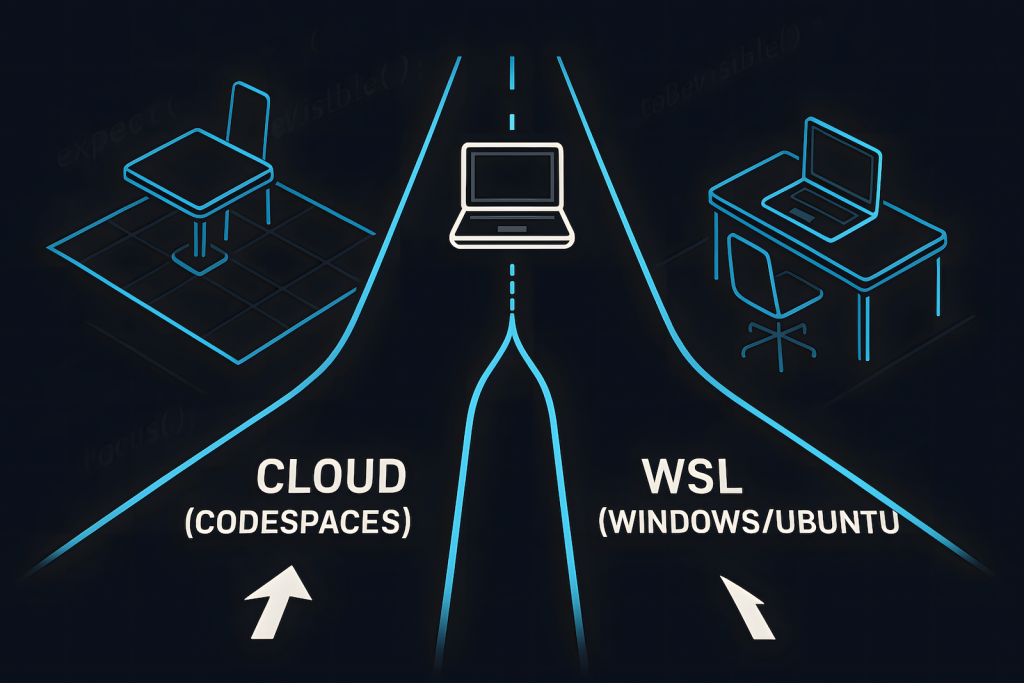
At a glance: which lane to use (comparison)
| Decision point | Cloud-First (Codespaces) | WSL on Windows |
|---|---|---|
| Setup time | 1–2 minutes per repo | One-time WSL install, then fast |
| Speed | Good enough for smoke & small suites | Fastest feedback on your hardware |
| Offline | Needs steady internet | Works offline |
| Parity with CI | Linux container = close to CI | Linux in WSL = close to CI |
| Artifacts | HTML report in workspace; download if needed | HTML report opens locally |
| Best use | Roaming, second device, hotel Wi-Fi | Long sessions, debugging, heavy runs |
Cloud-First QA environment setup (Codespaces)
Status: Actively using & learning — Tested on: Win11 host, browser IDE — Limitations: needs a stable connection
Why this lane exists: You want to switch devices without reinstalling anything. The environment lives with the repo; the browser is your IDE.
What you’ll have at the end: a green Playwright run and an HTML report you can open immediately.
Steps (with reasons):
- Create a Codespace on your repo.
Reason: Boots a clean Linux box tied to your code. - Install runner inside the container (once):
npm i -D @playwright/test
npx playwright install
Reason: Puts Playwright and browsers in the cloud box, not your laptop. - Add one smoke test (stable locators, no sleeps):
// tests/smoke.spec.ts
import { test, expect } from "@playwright/test";
test("login → dashboard", async ({ page }) => {
 await page.goto("https://example.com/login");
 await page.getByRole("textbox", { name: "Email" }).fill("[email protected]");
 await page.getByRole("textbox", { name: "Password" }).fill("pass123!");
 await page.getByRole("button", { name: "Sign in" }).click();
 await expect(page.getByText("Dashboard")).toBeVisible();
}); - Run and view the report:
npm test npx playwright show-report
Reason: Trust comes from artifacts, not vibes.
Failure signals & quick fixes:
- Timeouts → assert outcomes (
await expect(...).toBeVisible()), neverwaitForTimeout(). - Selectors break → use role → text → test-id; avoid brittle CSS.
- Report won’t open → open
playwright-report/index.htmlfrom the Explorer.
Workstation QA environment setup (WSL on Windows)
Status: Proven in my setup — Tested on: Win11 + WSL (Ubuntu), Node 20, Playwright — Limitations: none for this scope
Why this lane exists: Fast runs and close parity with Linux CI, without leaving Windows.
Steps (one-time + daily run):
- Install WSL + Ubuntu (once):
wsl --install -d Ubuntu - Install Node 20 with nvm (once):
sudo apt update && sudo apt install -y curl ca-certificates git curl -o- https://raw.githubusercontent.com/nvm-sh/nvm/v0.39.7/install.sh | bash source ~/.bashrc && nvm install 20 - Clone, add Playwright, run (daily):
git clone https://github.com/<you>/<repo>.git cd <repo> npm i -D @playwright/test npx playwright install --with-deps npm test npx playwright show-report
What not to do here:
- Don’t “stabilize” with sleeps—use assertions that wait for results.
- Don’t let WSL and CI drift—pin Node and commit the lockfile.
One repo, one config (keeps both lanes honest)
Playwright config (portable):
// playwright.config.ts
import { defineConfig, devices } from "@playwright/test";
export default defineConfig({
  retries: 1,
  use: {
    screenshot: "only-on-failure",
    trace: "retain-on-failure",
    video: "retain-on-failure"
  },
  projects: [{ name: "chromium", use: { ...devices["Desktop Chrome"] } }]
});
Version pinning:
Create .nvmrc with 20. Commit your lockfile. This keeps your qa environment setup identical in Codespaces, WSL, and CI.
Fresh data (simple, not fancy):
Use a small unique suffix per run (timestamp/random). Example: user+e2e-<timestamp>-<rand>@example.test. Clean up if your app supports delete.
CI: same suite on push/PR (zero surprises)
# .github/workflows/e2e.yml
name: e2e
on:
  push: { branches: [ main ] }
  pull_request:
jobs:
  test:
    runs-on: ubuntu-latest
    steps:
      - uses: actions/checkout@v4
      - uses: actions/setup-node@v4
        with: { node-version: '20' }
      - run: npm ci || npm i -D @playwright/test
      - run: npx playwright install --with-deps
      - run: npx playwright test --reporter=html
      - uses: actions/upload-artifact@v4
        with: { name: playwright-report, path: playwright-report }
Done when: the same green run and HTML report appear locally and in CI.
Quick checklist (copy, tick, move on)
- Cloud lane runs green, report opens
- WSL lane runs green, report opens
- One
playwright.config.tsin repo .nvmrc+ lockfile committed- Simple unique data suffix in place
- CI job attaches the HTML report
FAQ
Can I skip WSL entirely?
Yes. If you’re roaming all week, Codespaces + CI covers you.
Why no Docker here?
For this qa environment setup, WSL + Node is simpler and very close to CI. Add Docker only if the app demands it.
Do I need a remote browser grid?
Only if you require a wide browser/OS/device matrix or predictable high concurrency. Start with this; scale later.
How do I write bug reports that devs don’t hate?
Use evidence and exact steps. Format I use: https://qajourney.net/how-to-write-effective-bug-reports-with-examples/





0 thoughts on “QA Environment Setup (2025): Cloud-First When Roaming, WSL on the Workstation”