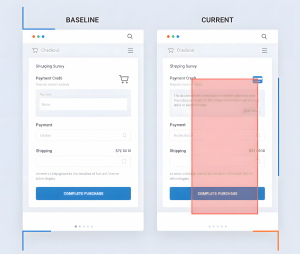
Regression testing keeps your software from breaking when you ship new code. Whether you’re the lone QA in a 5-devs-to-1-QA hellscape or leading a team with actual resources, this guide cuts through the fluff and gives you strategies that work in production—not just in LinkedIn thought leadership posts.

What is Regression Testing?
Regression testing verifies that your latest “quick fix” didn’t break three unrelated features nobody thought to check. Every code change—bug fix, new feature, refactor—creates risk. Regression testing is your safety net.
It’s not glamorous. It’s not innovative. But it’s the difference between shipping with confidence and spending Friday night on a production hotfix call.
Why It Actually Matters
Your New Code Will Break Something
That login fix? It broke password reset. That new checkout button? Now the cart doesn’t calculate tax correctly. Code has dependencies you didn’t know existed. Regression testing finds them before customers do.
Quality Is Your Job Security
Automation engineers who can’t prevent regressions become ex-automation engineers. QA leads who ship stable releases become directors. Your regression strategy defines your career trajectory.
Production Bugs Are Expensive (And Career-Limiting)
A bug caught in testing costs hours. A bug in production costs days, customer trust, and potentially your reputation. I’ve seen careers stall over preventable regressions.
Deploy Without Panic Attacks
Good regression coverage means you can actually take weekends off. No more Friday deployment anxiety. No more “let’s wait until Monday to see if it breaks.”
How to Do It Without Burning Out
1. Know What Actually Matters
You can’t test everything. Even if you could, you shouldn’t. Focus on:
- Code that changed (obviously)
- Features that touch what changed (less obvious)
- Core user flows (login, purchase, whatever pays your salary)
- Things that broke before (lightning strikes twice in software)
- Integration points (APIs, third-party services, databases)
Stop testing things that never break. I know, I know—”but what if this time…” No. Your time is finite. Prioritize.
2. Build Tests That Don’t Suck
Your regression suite should cover:
- Critical business workflows (the stuff that makes money)
- Edge cases that actually happened (not theoretical nonsense)
- Integration points where systems talk to each other
- Performance-sensitive operations (if it’s slow in test, it’s broken in prod)
Update your tests when features change. Stale tests are worse than no tests—they create false confidence.
3. Pick Your Battle: Manual vs. Automated
Manual Testing: For exploring new features, checking UX, or one-off changes where automation costs more than it saves.
Automated Testing: For anything you’ll run more than three times. If you’re running it nightly, weekly, or per-commit, automate it.
Hybrid (aka Reality): Most of us use both. Automate repetitive checks, manually test anything requiring human judgment. If you’re doing 100% of either, you’re doing it wrong.
Types of Regression Testing
Corrective Regression Testing
The code changed but the specs didn’t. You fixed a bug. Now verify the fix works and didn’t break anything else. This is your baseline.
Progressive Regression Testing
New features + existing features = chaos. Test the new stuff AND make sure it plays nice with what’s already there. This is where dependencies bite you.
Selective Regression Testing
Run only tests affected by changes. Requires good test organization and tagging, but saves massive time. Only works if you actually know what your changes affect.
Full Regression Testing
Run everything. Reserve this for major releases, architecture changes, or when you genuinely don’t know what might break. Don’t do this daily—you’ll burn out your CI/CD and your team.
Common Challenges (And Real Solutions)
Test Maintenance Hell
Problem: Your test suite grows like weeds. Tests break constantly. Nobody knows which tests matter. Half the team wants to delete the whole thing.
Real Solutions:
- Delete redundant tests quarterly (yes, actually delete them)
- Use test management tools if you can afford them (TestRail, Zephyr, qTest)
- Tag tests by priority, feature, and affected area
- Make “update tests” part of your definition of done
- If a test hasn’t failed in 6 months, question why it exists
Flaky Tests (The Career Killer)
Problem: Tests pass, fail, pass again without code changes. Team loses trust in automation. “Let’s just run it again” becomes team culture. You’ve become that person who cries wolf.
Real Solutions:
- Fix the root cause (I know, easier said than done)
- Most flakiness comes from: race conditions, bad waits, environment dependencies, test interdependencies
- Use proper explicit waits, not Thread.sleep() garbage
- Use stable frameworks (Playwright, Cypress)
- Isolate tests from each other completely
- Track flakiness metrics and quarantine repeat offenders
- If you can’t fix it fast, quarantine it and move on
Tests That Take Forever
Problem: Full regression takes 4 hours. Nobody runs it. Feedback loops die. Regressions slip through.
Real Solutions:
- Prioritize tests by risk—run critical ones first
- Parallel execution (seriously, do this)
- Selective regression for rapid iteration
- Move slow tests to nightly builds
- Consider contract testing for microservices
- Question whether you actually need that 200-test UI suite
For more on balancing manual and automation testing, we’ve got you covered.
Keeping Up When Code Moves Fast
Problem: Developers ship faster than you can update tests. Tests become outdated. You’re always playing catchup.
Real Solutions:
- Make test updates part of developer’s definition of done
- Pair QA with devs during feature work (seriously, shift-left is your friend)
- Use code reviews to catch missed test updates
- Automate test generation where it makes sense (AI is actually useful here)
Best Practices That Survive Contact With Reality
Automate the Boring Stuff
Login, CRUD operations, common user paths—automate these so you can focus on actual testing. If you’re manually testing login every sprint, you’re wasting everyone’s time.
Keep Your Suite Lean
100 reliable tests beat 1000 flaky ones. Quality over quantity. Audit regularly and delete:
- Duplicate tests
- Tests for features that no longer exist
- Tests that never fail (seriously, why do these exist?)
- Tests that provide zero value
Integrate with CI/CD (Not Optional Anymore)
Run regression tests on every commit or PR. Fast feedback prevents bugs from piling up. If your tests aren’t in CI/CD, they’re not really automated—they’re just scripted manual tests.
yaml
# Example GitHub Actions workflow
name: Regression Tests
on: [push, pull_request]
jobs:
  test:
    runs-on: ubuntu-latest
    steps:
      - uses: actions/checkout@v3
      - name: Run critical regression tests
        run: npm run test:regression
Use Reliable Test Data
Flaky tests often trace back to bad test data. Use:
- Test data factories
- Database seeding scripts
- API mocking for external dependencies
- Containerized databases (TestContainers is your friend)
Version Control Everything
Treat test code like production code:
- Use Git for test scripts
- Code review test changes (yes, really)
- Document test intent (future you will thank present you)
- Track coverage metrics
Tag and Organize Tests
javascript
// Example test tagging
describe('Payment Processing', () => {
  it('processes credit card payment', {
    tags: ['@critical', '@payment', '@regression']
  }, () => {
    // test implementation
  });
});
Check out our Selenium guide for practical automation examples using our QA Testing Playground.
When to Automate (And When Not To)
Automate when:
- Tests run frequently (daily, per commit, nightly)
- Tests are deterministic and repeatable
- Manual execution eats up significant time
- You need fast feedback
- Testing across multiple browsers/devices
- Load or performance testing
Keep manual when:
- Testing requires human judgment (UX, visual design, “does this feel right?”)
- Exploring new features
- Automation cost exceeds value (one-off tests, rapidly changing features)
- You’re validating business logic that changes constantly
For more context on when automation makes sense, check out our beginner’s guide to test automation.
Tools That Actually Work
Web Testing
- Playwright: Fast, reliable, multi-browser. Best developer experience. My current go-to.
- Cypress: Developer-friendly, great debugging. Chromium-based browsers only.
- Selenium: Industry standard. Still works. Requires more setup but widely supported.
API Testing
- Postman/Newman: Visual API testing with CI integration
- REST Assured: Java-based, solid for backend teams
- Supertest: Node.js HTTP assertions
- Pact: Contract testing for microservices (underrated)
Mobile Testing
- Appium: Cross-platform, works but requires patience
- Detox: React Native testing
- Espresso/XCUITest: Native testing, faster but platform-specific
Visual Regression
- Percy: Visual testing platform, pricey but solid
- Chromatic: Storybook visual testing
- BackstopJS: CSS regression, free
- Applitools: AI-powered visual testing
CI/CD Integration
- GitHub Actions: If you’re on GitHub, just use this
- GitLab CI: Built into GitLab, works well
- Jenkins: Self-hosted flexibility, steeper learning curve
- CircleCI: Cloud-based, fast
Modern Tools Worth Your Time
- TestContainers: Disposable test databases (game changer)
- Vitest: Fast unit testing for Vite projects
- k6: Load testing that doesn’t suck
- Testim/Mabl: AI-powered test automation (actually useful, not just buzzwords)
Advanced Strategies for Teams With Actual Budgets
Risk-Based Testing (Smart, Not Just Fast)
Not all features carry equal risk. Prioritize:
- Revenue-generating features (checkout, payments, subscriptions)
- Compliance-critical functionality (security, privacy, legal requirements)
- High-traffic features (homepage, search, core workflows)
- Recently changed code (obvious but often ignored)
- Previously buggy components (history repeats itself)
Our hybrid QA methodology guide dives deeper into risk-based prioritization.
Parallel Execution
Stop running tests sequentially like it’s 2015. Distribute tests across multiple machines:
javascript
// Playwright parallel execution
npx playwright test --workers=4
Use cloud providers (BrowserStack, Sauce Labs) or containers (Docker, Kubernetes) for scalable parallel testing.
AI-Powered Test Selection
Some tools use ML to predict which tests will catch bugs based on code changes:
- Launchable
- Functionize
- Testim
These analyze commit history and test results to intelligently select relevant tests. Reduces execution time without sacrificing coverage. Not magic, but surprisingly effective.
Shift-Left Regression Testing
Catch regressions earlier:
- Run unit tests on every save
- Component tests during development
- Integration tests in PR checks
- Full regression in staging
Learn more about shift-left testing in resource-constrained teams.
Test Observability
Monitor your test suite health:
- Track flakiness rates over time
- Measure execution time trends
- Monitor coverage changes
- Alert on unusual failure patterns
Tools like TestRail, Allure, or ReportPortal provide dashboards. Actually use them.
Visual Regression for UI
Automate visual testing to catch CSS bugs, layout issues, unintended design changes:
javascript
// Percy example
await percySnapshot(page, 'Homepage');
API Contract Testing
For microservices, use contract testing to verify service interactions without full integration tests:
javascript
// Pact example
await provider.verifyProvider({
  pactUrls: ['./pacts/consumer-provider.json']
});
Real-World Examples
E-commerce Platform (Small Team, Big Impact)
Challenge: Frequent releases breaking checkout, only 2 QA on team
Solution:
- Automated critical path (browse → cart → checkout → payment)
- Visual regression for product pages
- API contract tests for payment gateway
- Run on every PR, full suite nightly
- Selective regression for minor updates
Result: Went from weekly “checkout is broken” fires to confident daily deploys
Mobile Banking App (High Stakes, Limited Resources)
Challenge: Testing everything exhausted 3-person QA team
Solution:
- Risk-based approach prioritizing transactions and security
- Automated smoke tests for critical paths
- Manual exploratory for new features
- Selective regression based on code changes
- Full regression only for major releases
Result: 60% less regression time, zero transaction-related production bugs in 6 months
SaaS Dashboard (Complex UI, Slow Feedback)
Challenge: Complex UI, 2-hour regression suite, developers waiting on feedback
Solution:
- Component-level tests for reusable UI
- Visual regression for layout changes
- E2E tests only for critical workflows
- Parallel execution reducing suite from 2 hours to 20 minutes
- Selective regression for feature branches
Result: Developers get feedback in minutes, not hours. Deployment confidence way up.
FAQ
How many regression tests should I have?
Enough to cover critical paths without drowning in maintenance. Start with 20-50 high-value tests. Expand based on failure patterns, not arbitrary coverage goals.
Should I automate all regression tests?
Hell no. Automate tests that run frequently and stay stable. Manual test things requiring judgment. Aim for 70-80% automation of repetitive checks, 20-30% manual for exploration and validation.
How often should I run regression tests?
Depends on release cycle. Run critical tests every commit, broader regression nightly, full regression before releases. Don’t run everything all the time you’ll waste resources and developer patience.
What’s the difference between smoke tests and regression tests?
Smoke tests verify basic functionality (app loads, key features accessible). Regression tests verify existing functionality still works after changes. Smoke tests are a fast subset of regression tests.
How do I deal with flaky tests?
Fix the root cause or delete the test. Seriously. Don’t tolerate flaky tests, they kill trust in automation. Common culprits: race conditions, improper waits, environment dependencies, test interdependencies. If unfixable quickly, quarantine and revisit later (or delete it).
Should I test everything or just changed areas?
Changed areas + dependencies is baseline. Full regression before major releases. Everything in between depends on risk tolerance and time constraints.
How do I measure regression testing effectiveness?
Track: bugs found in testing vs. production, test coverage of critical paths, execution time trends, flakiness rate, defect escape rate. If you’re not tracking these, you’re flying blind.
What’s the ROI of test automation?
High initial investment (weeks to months). Break-even after 3-6 months of regular execution. Long-term ROI comes from faster releases and fewer 2 AM production incidents. Also your sanity.
Key Takeaways
- Regression testing prevents your code changes from breaking existing stuff (obviously)
- Balance automation with manual testing based on your actual context, not blog posts
- Focus on high-risk, high-traffic areas first (not equal coverage across everything)
- Keep your test suite lean and maintainable (delete more than you add)
- Integrate testing into CI/CD (non-negotiable anymore)
- Fix flaky tests or delete them (no middle ground)
- Use modern tools that fit your stack (don’t cargo cult what big tech uses)
- Adjust strategy as your app evolves (what worked at Series A won’t work at Series C)
Regression testing isn’t one-size-fits-all. Start small, measure what matters, iterate based on actual results. And for the love of all that’s holy, stop trying to achieve 100% coverage, you’ll burn out before you get there.
If you need more tactical QA advice that survives contact with reality, check out our other guides on building scalable QA processes and QA’s future with AI and automation.
Built by real testers who’ve survived bad specs, flaky tests, and clueless PMs. This is QA that makes sense, clean, sharp, and built to ship.