Most people who find Playwright find it through testing. They set it up for end-to-end tests, write a few specs, integrate it into CI, and stop there. That is a reasonable starting point but it is not the complete picture of what playwright browser automation can do. Playwright is a browser runtime first and a testing tool second. The testing layer sits on top of a runtime that can do significantly more than assert that a button exists and a modal opens on click.
This post is about what Playwright looks like when you remove it from the test runner and use it as general-purpose browser automation infrastructure. Some of what follows is adjacent to QA work. Some of it is not. All of it comes from treating Playwright as a platform rather than a test suite dependency.
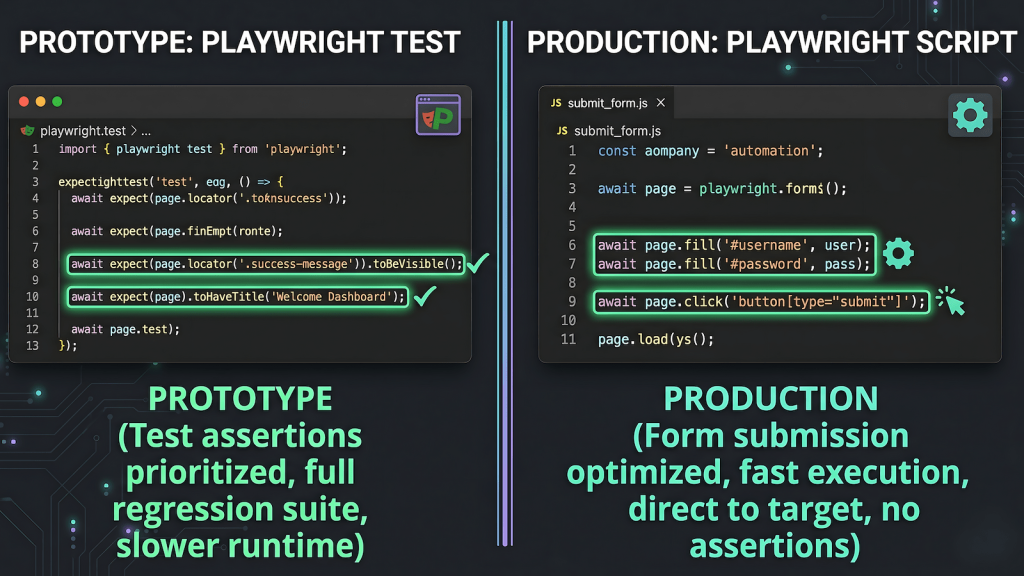
Playwright as a Browser Runtime
The distinction matters because of how most QA engineers first encounter the tool. The test runner whether Playwright’s native runner, Jest, or Mocha is the scaffolding around the real thing. The real thing is Chromium, Firefox, or WebKit, launched and controlled through a Node API that handles everything a real browser does: JavaScript execution, cookie management, network requests, DOM interaction, form submission, file downloads.
When you write a Playwright test, you are writing browser automation with an assertion at the end. Remove the assertion and you have browser automation. The locator API, the page navigation, the auth context management, all of it is identical. The mental shift required is smaller than it seems.
Scraping and Data Collection Without an API
The first place playwright browser automation proves useful outside testing is against targets that have no API or one too limited to be useful. Fetching rendered page content, extracting structured data from SPAs that build the DOM client-side, collecting paginated results from a dashboard that has no export feature — these are browser automation problems, not testing problems. Playwright handles them with the same locator API used in test suites.
The practical setup is minimal: a standalone Node script, a browser launch, and a page context. No describe blocks, no test hooks, no assertion library. You navigate, extract, and close. The element resolution logic that makes Playwright reliable in test suites makes it reliable here for the same reason, it waits for elements to be actionable by default, which matters when scraping a page that loads data asynchronously.
Form Submission and UI Workflow Automation
Automated form workflows are another area where Playwright operates cleanly outside a testing context. Filling and submitting forms on third-party platforms, navigating multi-step flows that have no API surface, interacting with tools that require an active browser session these are production automation tasks. The approach is identical to UI testing but the goal is task completion rather than assertion.
This is the pattern EchoCast uses to publish to Medium. Medium has no functional API and session-based HTTP approaches did not work reliably. Playwright drives the actual post editor populates title and body, submits. The code looks nearly identical to a Playwright test for that same flow. The difference is that there is no assertion at the end. The form submission is the goal. The full story of what was tried before landing on this is at Why Medium’s API Fails and What We Did Instead.
Monitoring and Visual Checks
Playwright can run scheduled visual checks against live pages without a full test framework. Screenshot a critical page on a schedule, diff it against a stored baseline, alert if the difference exceeds a threshold. This is lightweight synthetic monitoring that runs wherever Node runs, without a separate monitoring service subscription.
The same pattern applies to content monitoring, verifying that a page still contains a specific element, that a price has not changed, that a form still exists and is reachable. These are QA instincts applied to production infrastructure rather than a staging environment.
The Skill Transfer Is Direct
If you write Playwright tests, you already know how to do all of this. Nothing in browser automation outside testing requires learning a new API. The locator syntax is the same. Page navigation is the same. Auth context management is the same. The only shift is mental: stop thinking of Playwright as something that lives inside a test suite and start thinking of it as a browser runtime you can invoke from anywhere for any reason.
The post on automating when the API is broken, gated, or nonexistent goes deeper on the tactical side how to handle targets that actively resist automation, what the specific failure modes look like, and when browser automation is the right answer versus when it is not. If this post is the overview of what playwright browser automation can do, that one is the field guide for doing it against difficult targets.