I have caught this same failure three times now, once in pixel diffing, once in mobile emulation, and now again in Chrome’s new agentic browsing audit. Every time, a tool told me something was true, and the tool was measuring the wrong moment. If you are running Lighthouse scores across your own sites right now and treating the number as a verdict, this is the pattern you need to see before you trust it.
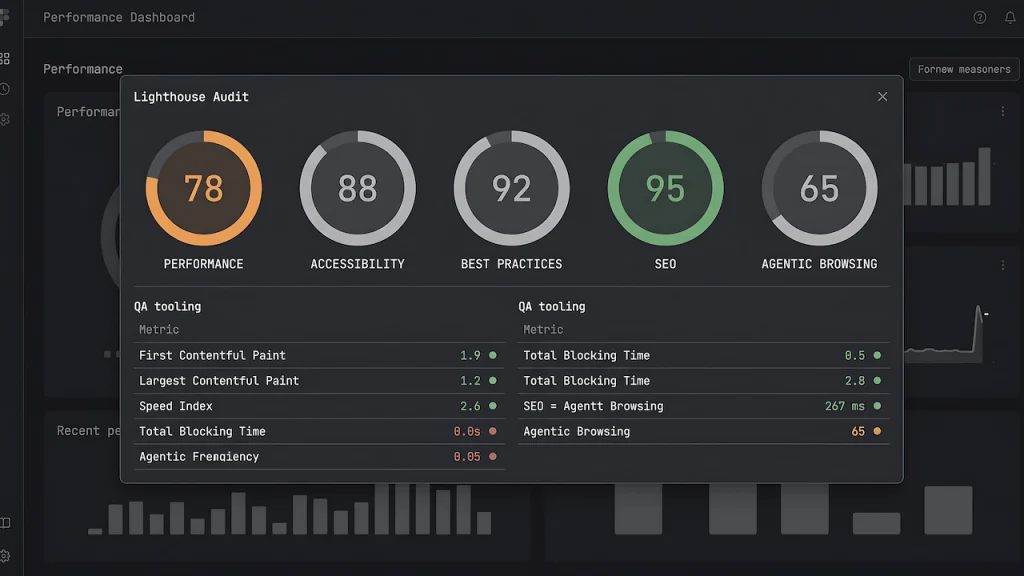
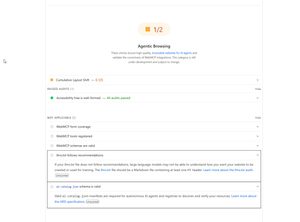
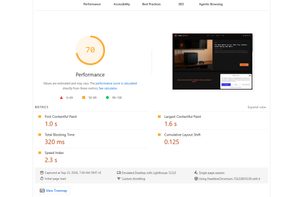
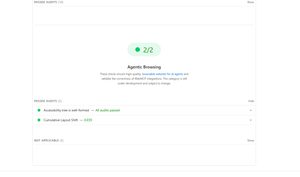
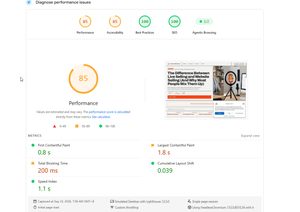
Chrome recently added an agentic browsing category to Lighthouse, a fractional pass ratio meant to signal whether a page is legible and stable enough for an AI agent to actually operate on. I ran it against two of my own sites. HobbyEngineered scored 1 out of 2, flagged by a cumulative layout shift of 0.125. RemoteWorkHaven scored 2 out of 2, with a CLS of 0.039. Same category, same owner, same network, and the two results told completely different stories about pages that are not actually that different from each other.
What Agentic Browsing and PageSpeed Insights Are Actually Testing
Google PageSpeed Insights and Lighthouse both simulate a single cold load under fixed network and CPU conditions, then score what they observe. That is a narrow slice of what a real visitor, human or agent, experiences. Agentic browsing extends that same simulated moment to ask a new question: can an autonomous browsing agent actually locate and act on the elements it needs, not just whether the page looks fine to a person scrolling through it.
The category is still explicitly experimental. Chrome’s own documentation calls out that Agentic Browsing uses individual pass, fail, and informational signals rather than a single 0 to 100 score, because the underlying standards are still being written. That matters, because a 1 out of 2 reads like a failing grade when it is closer to a diagnostic flag on one specific condition. I already learned this lesson the hard way once before, and I wrote about fixing real LCP and CLS issues on this exact site using PageSpeed and Lighthouse. That post was about a tool catching something genuinely broken. This one is about the same tools reporting something that was never actually broken in the way the score implies.
Why WebMCP Doesn’t Apply to a Publisher Site
Part of the agentic browsing category checks for WebMCP, a mechanism that lets a site expose structured functions an agent can call directly, book a slot, submit a form, update a record. Neither of my sites registered anything for that, so those specific audits came back not applicable, not failed. That distinction is not a technicality, it is the actual point.
WebMCP answers the question of whether an agent should operate your site. QAJourney, HobbyEngineered, and RemoteWorkHaven are publishing platforms. I want an agent to read an article, understand it, and cite it back to a person who asked a question. I do not want an agent invoking functions on a content site that has no functions worth exposing. Treating those not applicable results as a gap in the score misreads what the score is actually checking, and it is a distinction worth knowing before anyone panics over a low fraction that includes audits that were never meant to apply to their site type in the first place.
Why Cumulative Layout Shift Breaks Agent Actuation, Not Just Human Perception
An agent does not click what it sees, it resolves a target through the page’s accessibility tree or DOM, then dispatches an action at that resolved location. If the layout shifts between the moment the target was located and the moment the click fires, the action can land on the wrong element entirely, or throw the same stale reference error you have already seen in Playwright or Cypress a hundred times.
That reframes cumulative layout shift from a human annoyance metric into something closer to a race condition. Chrome built CLS around research into accidental taps and visual irritation, not around agent actuation failure rates, and then reused that same threshold for a completely different purpose without establishing that it is actually the right cutoff for that purpose. It is a repurposed metric standing in for one that has not been built yet.
The Threshold Problem: 0.100 vs 0.125
Core Web Vitals classifies CLS into three buckets: 0.10 or below is good, above 0.10 up to 0.25 needs improvement, and 0.25 or higher is poor. HobbyEngineered’s 0.125 sits just over that first line. RemoteWorkHaven’s 0.039 sits comfortably under it. A human cannot feel the difference between 0.100 and 0.125 on a page, but Lighthouse turns that gap into a binary classification anyway.
My RemoteWorkHaven headset post makes the same threshold problem visible from a different angle. Desktop scored 96 with a 1.0 second LCP. Mobile scored 52 with an 11.4 second LCP on the identical page. That gap is too large to be explained by layout differences alone, since mobile Lighthouse runs on a deliberately throttled Slow 4G and Moto G Power CPU profile while desktop runs on a much lighter throttle. The number is real. What it represents is a simulated worst case, not a description of what most visitors actually experience.
What Playwright Already Solved That Chrome Is Catching Up To
Test automation frameworks hit this exact problem years before Chrome gave it a name. Playwright’s actionability checks already wait for an element’s bounding box to stop changing across consecutive frames before committing to a click, because “found the element” and “acted on the element” have always been two separate moments in time, and if the page moved between them, the action misfires regardless of who or what triggered it. I covered the mechanics of that kind of browser automation directly, and the pattern holds up here without needing much translation.
Chrome’s agentic browsing category is not inventing a new problem. It is catching up to something test automation already engineered around, using a repurposed human perception metric instead of a purpose built actuation stability check. That is worth knowing if you are the one explaining to a team why a CLS audit suddenly matters for something that used to be purely a Core Web Vitals concern.
Mobile vs Desktop: Same Test, Different Reality
I already documented this exact gap between what an emulator reports and what a real device shows. On a WordPress theme rebuild, Chrome DevTools reported a layout as fine while an actual phone rendered two elements overlapping into an unreadable mess. That post also covers a discrepancy most experienced QAs stop checking for once they trust their own instincts, Chrome and Firefox render the same DevTools emulation differently from each other.
The same gap applies to performance scoring, not just visual rendering. A mobile Lighthouse score built on throttled network and CPU emulation is not the same claim as “this is what a real phone experiences.” Before trusting an 11.4 second mobile LCP as ground truth, the actual move is the same one from that rebuild, pull it up on a real device or a service like BrowserStack and see whether the number holds. If it does, the throttle profile was accurately describing a real constraint. If it does not, the score was describing a simulated worst case that most real visitors never hit.
The Same Judgment Gap From Visual Regression, One Layer Down
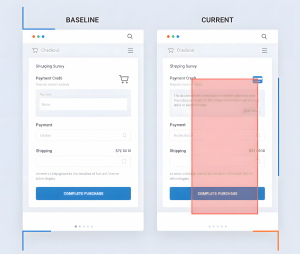
I have written before about the judgment a visual regression tool never gives you for free, whether a flagged pixel diff is a genuine regression or just two screenshots that were never actually capturing the same moment in the page’s lifecycle, a state mismatch or a timing mismatch dressed up as a real defect. Agentic browsing has the identical failure mode, just one layer deeper in the stack. An agent pattern matching against DOM structure and accessibility labels instead of pixels can hit the same false positive, the tree looked stable when it was queried, but by the time an action was dispatched against it, the moment had already changed underneath it.
That is the actual throughline connecting all of this, not agentic browsing as some entirely new discipline, but the same discipline that visual regression and mobile testing already demanded. No score, pixel diff, or agent audit ships with the judgment built in. Someone still has to ask whether the flag reflects reality or reflects two moments that were never equivalent to begin with.
What This Means for Manual, Automation, Hybrid, and AI-Assisted QA
Manual testers get a reminder that a synthetic score is a claim to investigate, not a verdict to accept. A 1 out of 2 or a 52 needs the same “real diff or noise” instinct you already apply to any flagged bug. Automation engineers get the direct technical hook, the stale element and not clickable at point failures you have already debugged in Playwright are the exact failure class Chrome is now trying to score at the browser level.
Hybrid QAs get the connective tissue between both worlds, why a tool passing does not make a claim true and why a tool failing does not make it true either, the discipline of never trusting a single confirmation past the point it actually proves something. And AI assisted QA closes the loop entirely, because the same risk now runs in both directions. An agent deciding a button is clickable and an AI assistant telling you a diff is just noise are both making a confident, unverified pattern match. I have already written about how that reliance changes a QA workflow when AI enters the review side of testing, and the same rule holds here, on either side of the browser, an AI’s output is a claim, not a fact, until something checks it against a real device, a real click, or a real user.