You can run a full pass on a feature, watch every test go green, and still ship a bug that was never in the code at all. It was sitting in the data. If your database QA process stops at what the UI shows you, you are testing the app’s opinion of its own data, not the data itself.
That gap is where a specific kind of bug lives: the one that makes no sense until you check what is actually in the database. A field shows blank when it shouldn’t. A dropdown throws an error nobody can reproduce. Someone spends an hour convinced the frontend is broken before finding a deleted record still being referenced somewhere downstream. None of that shows up by clicking around. It shows up when you run a query.
What Database QA Actually Looks Like
Database QA means going past the interface and checking what the database itself says is true. Working with backend developers on API and data validation makes this unavoidable eventually. The API can return exactly what it’s supposed to and the underlying data can still be wrong, malformed, or inconsistent with what the UI implies. You do not need to be a DBA to catch this. You need to be willing to write a SELECT statement instead of trusting that the screen in front of you is the whole story.
This is not about memorizing every join type or becoming a database administrator on the side. It’s about treating the database as a source of truth you can check directly, the same way you’d check a network response instead of assuming the loading spinner means everything worked.
When Database Checks Belong in Your Test Cycle
Database checks aren’t a separate phase bolted onto the rest of your testing. They fit into the same cycle you already run, just with a different verification point.
Smoke testing is where a fast sanity check earns its place. Core tables aren’t empty, a migration or deploy didn’t wipe something it shouldn’t have, row counts on critical tables look roughly right. This isn’t deep validation. It’s confirming the ground didn’t shift under you before you test anything else.
E2E testing is where the database becomes the actual proof, not the UI. A checkout flow can show a success screen and still have written a malformed or incomplete record. The UI confirming success is not the same as the database confirming it. Checking the record directly after the flow completes is what closes that gap.
Regression testing is exactly where stale data does the most damage, because regression runs against accumulated state by design. This is the direct link to the clear-and-reseed practice covered further down. A regression suite running against months of unaudited data will eventually produce failures that have nothing to do with the code you’re regressing and everything to do with what’s sitting in the tables.
Exploratory testing is where you go looking on purpose. This is the natural home for injection testing and edge case input, because exploratory sessions are where you’re actively trying to break something, then checking the database to see what actually landed versus what the UI told you happened.
Where Bugs Actually Hide in the Data
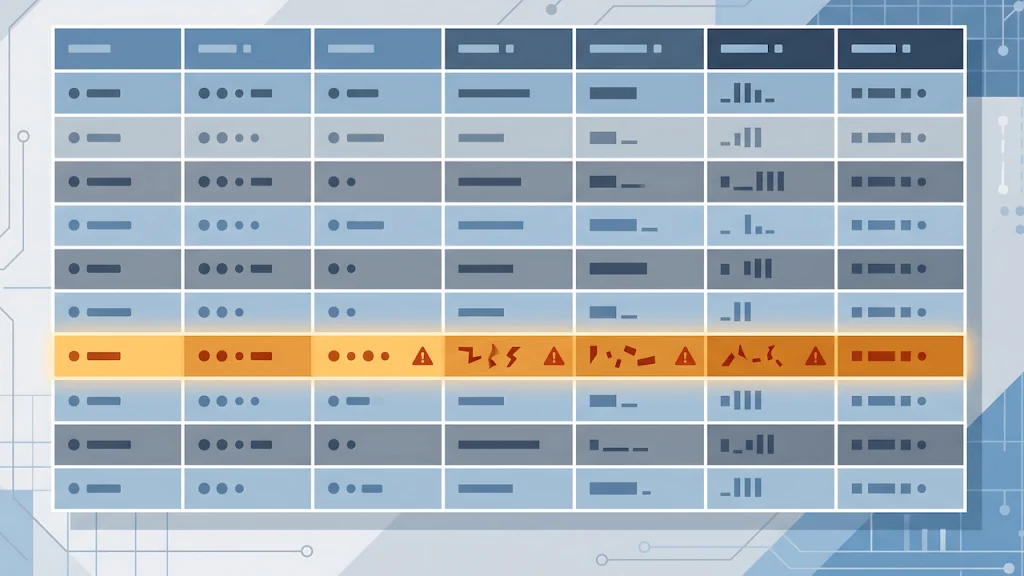
Stale and deleted records are the ones that waste the most time because they don’t look like data problems when they surface. A record gets deleted, but something else still holds a reference to its ID. The UI breaks in a way that seems completely unrelated to anything anyone just changed. You dig into the frontend, the API, the recent commits, and eventually find a leftover row from three sprints ago quietly poisoning the result. It’s not a new bug. It’s an old artifact nobody cleaned up.
Undefined values that survive to production behavior work the same way. A field that should never be empty ends up empty anyway, usually because an early test run or a partial migration left it that way. The application was never built to handle that case gracefully because nobody expected it to exist. It sits there until the exact right user flow hits it.
Checking for orphaned references means finding rows in a child table whose parent no longer exists:
SELECT c.*
FROM child_table c
LEFT JOIN parent_table p ON c.parent_id = p.id
WHERE p.id IS NULL;
Checking for unexpected nulls in a field that should never be empty:
SELECT *
FROM users
WHERE email IS NULL OR email = '';
SQL injection belongs in this same conversation, and not just in the obvious places. Any input surface is a potential entry point. That includes text boxes, but it also includes URL parameters and query strings, which get overlooked constantly because they don’t read as user input the way a form field does. UI-level sanitization stripping special characters is one layer of defense, but stripping characters on the frontend doesn’t prove anything landed correctly on the backend. Checking the database directly is how you confirm the sanitization actually held instead of just trusting that the input field behaved. This overlaps with the broader picture covered in security testing for QA engineers, which goes deeper into injection testing from the input side. Database QA is the other half: verifying what actually made it through.
Pulling the raw stored value for a field you tested with an injection payload confirms whether it landed clean:
SELECT id, comment_text
FROM comments
WHERE comment_text LIKE '%DROP TABLE%'
   OR comment_text LIKE '%<script%';
If that query returns rows, the payload made it into storage unescaped, regardless of what the UI showed you.
The fix for stale data isn’t chasing each bug individually. It’s clearing the database and reseeding it. Data accumulates over sprints, over test runs, over half finished manual QA sessions, and nobody is auditing it as it piles up. Treating every stale data bug as a one off means you’ll keep hitting variations of the same root cause indefinitely. Clearing and reseeding resets the baseline so you’re testing against data you actually understand, not an archaeology project.
Where AI Actually Helps Here
Generating clean seed data by hand is slow, and asking an SDET to do it treats something that should be squarely inside QA’s own skillset as someone else’s job. Writing your own seed data and basic validation queries has always been reachable QA territory, even before AI made it faster. AI doesn’t open new ground here so much as it removes the friction that made QA engineers outsource work they didn’t need to outsource. It can generate a starting set of seed records fast, spot anomaly patterns across query results quicker than scanning manually, and explain an unfamiliar schema when you’re dropped into a new project.
What it can’t replace is the specificity you’d put into a real test case. A vague seed data request gets vague, useless data back. A request that actually earns its keep names the exact edge cases you need:
“Generate 20 rows of realistic seed data for a users table with columns id, email, created_at, and status. Include 3 rows with edge cases: one with a null email, one with a duplicate email, one with a status value outside the normal enum.”
Seeding doesn’t have to be a manual step you repeat by hand every time you need a clean baseline. Once you know what a good seed data set looks like for a given system, that generation belongs in a script, not a recurring manual task. AI can help write that script the same way it helps generate the data itself, but the real point ties back to the clear-and-reseed practice above. If resetting to a known state is the actual fix for stale data, that reset should be one command away, not something you’re rebuilding from scratch every time the database gets messy again. This also strengthens the regression testing case made earlier: a regression suite that runs against a scripted, repeatable seed state stops fighting the same accumulated data problem every cycle, because the baseline resets clean every time instead of drifting further from reality with each run.
That specificity is also where AI’s limit sits. It can’t tell you what correct looks like for this specific system, or whether a data driven bug is a real defect versus an artifact of bad seeding in the first place. That judgment call is still yours. The tool speeds up the mechanical part. It does not replace the part where you decide if what you’re looking at actually matters.
When Data Moves: Migration Testing
Migrations, imports, and syncs are where stale data problems get manufactured at scale instead of accumulating slowly. When data moves from one place to another, the things worth checking directly in the database are duplicate rows that shouldn’t exist, records that lost their relationships during the move, and fields that got truncated or malformed in transit. None of this reliably shows up in the UI right after a migration. It shows up days later when someone hits the exact record that got mangled.
Checking for duplicates after an import or migration:
SELECT order_number, COUNT(*)
FROM orders
GROUP BY order_number
HAVING COUNT(*) > 1;
The same instinct applies here as anywhere else in database QA: don’t assume the migration succeeded because the process reported success. Query the result and check it against what should be there.
If you’ve never run a query against your own application’s database, this is where to start. If you already do this regularly, the value here is naming the patterns you’ve probably hit without ever tracing them back to their actual cause.