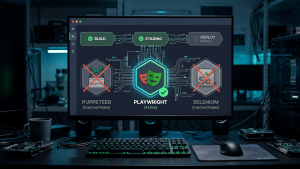
Playwright visual regression testing ships with a comparison tool built in. Cypress doesn’t. That gap, and what actually happens once you close it, is where this starts. A visual regression tool doesn’t tell you what to check or what a real defect looks like. It executes a pixel comparison, nothing more. Where a checkpoint goes, what counts as a valid baseline, whether a flagged diff is a real regression or a fluke, that’s not something cy.screenshot() or toHaveScreenshot() decides for you. No tool ships with that judgment built in. You do.

Working With What You Had
I used the Cypress Chrome Recorder to generate the interaction flow, that’s all it does, record clicks and navigation into a script. I opened the generated code and manually added cy.screenshot() at the checkpoints I actually wanted checked, the login screen, for instance. First stop was the Cypress docs, and they were clear on one thing: cy.screenshot() only saves the image, Cypress doesn’t compare it against anything. No built-in path forward from there. So I used cy.readFile() to open the saved baseline and the new screenshot from disk, and wrote my own JavaScript function to compare them, since the docs didn’t hand me one.
Both Cypress and Playwright run on JavaScript, and that’s the actual reason I lean on either one. If the framework doesn’t have something, the language underneath it still does. That’s not a knock on Cypress. Playwright happens to ship a visual comparison tool that works out of the box, Cypress doesn’t, and that’s a real difference worth knowing. But the deeper point isn’t which tool has more built in. It’s that whatever company you land at, whichever one they’ve standardized on, you’re never actually stuck. If the tool doesn’t do it, the JavaScript underneath it does.
// cy.readFile() opens the saved screenshots, no plugin needed.
// Comparing what's inside them is not native to Cypress, that
// part is plain JavaScript, written by hand.

describe('Login screen visual check', () => {
  it('compares current screenshot to baseline', () => {
    cy.visit('/login');
    cy.screenshot('login-screen');

    cy.readFile('cypress/screenshots/baseline/login-screen.png', null).then((baselineBuffer) => {
      cy.readFile('cypress/screenshots/login-screen.png', null).then((currentBuffer) => {
        const result = comparePngBuffers(baselineBuffer, currentBuffer);
        expect(result.match).to.be.true;
      });
    });
  });
});
// comparePngBuffers.js — plain JavaScript, not a Cypress or
// plugin feature. This is the part that had to be researched
// and built from scratch.
const { PNG } = require('pngjs');
function comparePngBuffers(baselineBuffer, currentBuffer) {
const baseline = PNG.sync.read(baselineBuffer);
const current = PNG.sync.read(currentBuffer);
if (baseline.width !== current.width || baseline.height !== current.height) {
return { match: false, reason: 'dimension mismatch' };
}
let diffPixels = 0;
for (let i = 0; i < baseline.data.length; i += 4) {
if (baseline.data[i] !== current.data[i]) diffPixels++;
}
const totalPixels = baseline.width * baseline.height;
return { match: diffPixels / totalPixels < 0.02 };
}
module.exports = { comparePngBuffers };This is the discipline I’ve written about applying to Cypress automation more broadly, work with what the tool actually gives you, and build the rest yourself.
You Don’t Need the Library, You Need the Logic
Not everything you need is going to exist in a library. Sometimes you have to build it, and that’s not a failure state, that’s just the job. If you can code, that logic-building instinct usually comes from wherever you actually learned to code, a bootcamp, a CS background, full-stack training, whatever gave you the habit of breaking a problem down instead of looking for someone else’s package first. If you didn’t come up through that, you can still get there. AI can help you build something like the comparison function above, you don’t need to already know pixel-diffing math to start.
When you’re stuck, go back to basics. That’s the rule that’s guided me since I first learned it: if the framework is fighting you, drop down to the plainest version of the logic you can write, even if it repeats itself, even if it’s ugly. Working and ugly beats elegant and broken. Refactor once it works, not before.
And ask for help, but ask for the right thing. Coding isn’t an island. A senior dev can help you refactor, compress what you wrote into something cleaner, point out a pattern you didn’t know existed. What they can’t do, and shouldn’t, is hand you the logic itself. Working through how you’d actually solve it is yours to build. That’s the difference between asking “can you help me clean this up” and asking someone to just solve it for you, one makes you better at this, the other doesn’t.
AI changes this, but it doesn’t replace it. Ask AI to write the comparison function above, it’ll hand you working code without blinking, faster than any of the research I had to do back then. That’s a real gain, use it. But the same rule that applies to a senior dev applies here too: AI can help you build and refactor, it shouldn’t be doing your thinking for you. If you don’t understand what the pixel-comparison loop is actually doing, you won’t know when AI’s version is wrong, or when it silently drops a checkpoint that mattered, or when the threshold it picked is too loose for what you’re actually testing. Ask it to explain the logic before you ask it to write the logic. Ask it to walk through why it chose a 2 percent diff tolerance instead of just accepting the number. That’s the same “explain your process to a senior dev” habit from before, just aimed at a different kind of collaborator. The tool changed. The discipline of actually understanding what you’re shipping didn’t.
That’s also the point of the code above. It’s not a production-ready comparison engine, it’s the core of the idea stripped down small enough to actually understand and build on. That’s the same reason a basic answer on Stack Overflow was worth more than a perfect one nobody could follow.
What Playwright Visual Regression Testing Actually Removed
Playwright visual regression testing removes the setup friction, toHaveScreenshot() ships native, no plugin, no custom comparison function to write. It also supports Chromium, Firefox, and WebKit out of the box, where Cypress defaults to Chromium only. That’s real, meaningful friction removed, what took me a research loop and a hand-written comparePngBuffers function on Cypress is one assertion on Playwright.
import { test, expect } from '@playwright/test';

test('pricing table matches baseline across load', async ({ page }) => {
  await page.goto('/pricing');

  // Wait for the specific element rather than a fixed delay.
  // This is the fix for the onload race condition, don't
  // screenshot until the thing you're checking has actually
  // rendered, not just until the page technically loaded.
  await page.locator('[data-testid="pricing-table"]').waitFor({ state: 'visible' });

  await expect(page).toHaveScreenshot('pricing-table.png', {
    maxDiffPixelRatio: 0.02, // small tolerance for anti-aliasing noise
  });
});
What Playwright didn’t remove is the judgment. It still doesn’t choose your checkpoints for you. It still doesn’t tell you whether a flagged diff is a real regression or noise. And the same JavaScript-underneath principle still applies here too, if toHaveScreenshot()‘s built-in options ever fall short of something specific you need, Playwright is still Node under the hood, nothing stops you from writing custom comparison logic the same way, the same escape hatch exists on both tools. That’s the real difference Playwright visual regression testing makes, less time spent building the comparison, the same amount of time spent deciding what the comparison actually means. I’ve covered the setup mechanics in more depth in the Playwright visual regression guide, this post isn’t repeating that, it’s the layer above it.
Real Diff or Noise
When a screenshot comparison flags a deviation, there’s more than one reason it could be wrong, and it’s worth knowing a few of them apart, because they don’t all get fixed the same way. Two common ones:
The first is a state mismatch. The baseline captured a dropdown collapsed. The new run captured it expanded. Nothing about the UI actually changed, the automation triggered an interaction sequence that landed in a different state between runs, an extra click registering, or one not registering when it should have.
The second is a timing mismatch. A delay that wasn’t there before pushes the screenshot to fire before the page has actually settled. Or the opposite happens, the page loads faster than expected and the next step in the script executes before the screenshot command has actually captured anything meaningful. Either way, the two screenshots being compared were never guaranteed to represent the same moment in the page’s lifecycle.
Both point to the same root cause. The diff isn’t wrong about pixels changing, it’s accurately reporting that two screenshots were never actually the same kind of moment to begin with. These are two of the more common failure modes, not the whole list, dynamic content, font rendering differences across environments, and network-dependent images can all produce the same kind of false flag. No plugin fixes any of it by itself, because it’s not a comparison problem, it’s an automation-reliability problem sitting upstream of the comparison. This is why the review step can’t be automated away. Sometimes the flag is a real regression. Sometimes it’s the automation, not the app, that moved.
Which Browsers Actually Earn a Checkpoint
Cross-browser visual coverage isn’t a neutral setting you flip on. On Cypress, it’s a deliberate cost. Chromium comes free, anything else, Firefox, WebKit, needs a plugin or a paid cloud grid. On Playwright, it’s a deliberate scope decision instead, all three engines are available natively at no extra cost, so choosing to skip a browser is a choice you’re making, not a limitation you’re working around.
That difference changes how the decision gets made. On Cypress, the question is really “is this worth paying for.” On Playwright, the question is purely “does this page or component render differently enough across engines to be worth the checkpoint.” Neither tool answers that question. You still have to know which parts of your app actually have engine-specific rendering risk, versus which parts are safe to check once and trust everywhere.
The Judgment Doesn’t Shrink, It Compounds
Automation made visual testing faster to run and harder to maintain. Every layout change, every new component, every timing quirk in how a page loads can break a baseline or introduce a false positive, and someone has to keep untangling that. The paradox is that as automation handles more of the execution, the judgment demanded of the person reviewing it actually goes up, not down. Accept every diff without looking, or reject every diff without looking, and that judgment atrophies. The tool didn’t get worse. The person watching it stopped watching.
AI adds another layer to the same problem. AI-assisted visual comparison can genuinely outperform raw pixel diffing, it can tell a dropdown state change from an actual layout regression in a way a simple pixel loop alone never will. But that capability creates the same risk at a higher level. If the QA stops engaging with what the AI flags and just accepts its verdict, the judgment weakens in exactly the way over-reliance on any automation always has. The tool got smarter. The habit of checking it still has to stay the same, on the review side and on the building side both.
Not every test can be automated, and no automation runs without QA judgment behind it, whether the thing comparing the screenshots is a hand-written pixel loop or an AI model. This is the fourth and final piece of the full QA suite build I’ve been documenting post by post, alongside what AI actually does and doesn’t replace in a structured QA workflow.