Years before I touched a test plan, I was doing tech support for an Australian web hosting company. Customers called in convinced their site was down, hacked, or broken in some specific way they couldn’t quite articulate. Half the time they were right. Half the time the actual problem was something completely different from what they described, and the fastest way to find out which half you were in was never waiting for a server login or escalating a ticket. It was curl hitting the URL directly and grep cutting straight to the line that actually mattered. That is where the habit started, and it never left.
curl and grep as a Daily Reflex, Not a One-Time Save
The workflow repeated itself dozens of times a day. Customer says the site is down. curl confirms what is actually being returned, the status code, the headers, whether the server responds at all before you ever touch a login. Server output is usually noisy, dozens of lines you don’t need surrounding the one you do. grep pulls that one line out instantly instead of making you scroll and squint. Customer hears “your DNS isn’t resolving” or “your SSL cert expired three days ago” within minutes, not after a slow escalation chain. That is not automation. That is just knowing how to look at the right thing fast, repeated until it stops being a skill and starts being a reflex.
Years Later, Same Instinct, Different Job
The tech support job ended. The reflex did not. Years later, deep into QA work, the exact same instinct showed up again in a completely different context, proving it was never really about hosting tickets. It was about not trusting a UI to show you the truth when the truth is buried in raw output somewhere. This is the same instinct behind learning Bash and Node as a tester, even if you never touch a full automation framework. The tools change. The refusal to take an interface’s word for it doesn’t.
The Bug That Didn’t Throw
An endpoint was returning 200. No error code, no failed assertion, nothing red anywhere in sight. Spot checks in Postman looked fine on the happy path. But something was off. Not every time, not in a way that screamed at you, just a quiet inconsistency in the data under certain conditions that didn’t match what should have come back. This is the worst kind of bug a tester can run into, because there is nothing to point at. No stack trace to screenshot. No failed test to attach to a ticket. Just a feeling that something in a pile of JSON is wrong, the same uneasy feeling that exposed a logic grouping blind spot in a completely different testing context, and a need to prove it before anyone will take it seriously.
Why DevTools and Postman Alone Weren’t Enough
Postman shows you one response at a time, beautifully formatted, completely useless for spotting a pattern across dozens of calls. DevTools shows you the network tab, which is great for watching one request happen live and terrible for comparing forty requests against each other to find what the broken ones have in common. Neither tool was built for pattern matching at volume. They are built for looking at one thing closely, not for finding the needle hiding among fifty haystacks that all look identical at a glance.
Exporting the Evidence
The bridge step was unglamorous. Export the Postman responses to a file. Run the same request repeatedly under slightly different conditions, save each one. None of this felt clever in the moment. It just turned a hunch into something that could actually be searched, which is the entire point.
grep Finds the Needle, awk Cuts It Down to Size
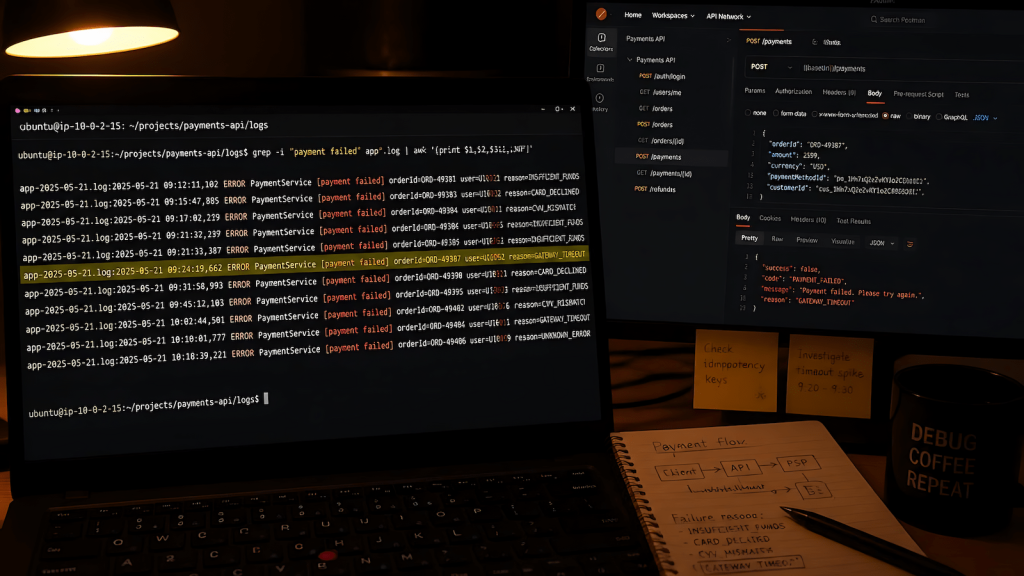
With the responses saved to file, grep went to work isolating which exported responses actually carried the broken pattern, searching across all of them at once for the specific value or field state that shouldn’t have been there. Once grep narrowed the field, awk took over, extracting and comparing the exact fields that differed between the clean responses and the broken ones. Where Postman would have made me eyeball each response one at a time hoping to spot the difference, grep and awk together took maybe two minutes to confirm exactly which condition triggered the bad data and what specifically was wrong in that response versus a correct one.
Handing the Dev a Map Instead of a Mystery
The payoff was identical in both jobs, separated by years and a complete career change. In tech support, the difference was walking a customer through an actual fix instead of saying “let me escalate this and get back to you.” In QA, the difference was telling a developer exactly which field, under exactly which condition, was returning the wrong value instead of saying “something feels off with this endpoint, can you take a look.” That second version sends a dev down a cold trail. The first version puts them directly on the bug. This is the same gap that separates a vague bug report from one developers actually act on: specificity is the whole job. They focused faster because there was nothing left to hunt for. The hunting was already done.
Why These Tools Still Matter When You Have Postman, DevTools, and curl in Every IDE
Modern tooling is genuinely good. Postman makes individual requests pleasant to inspect. DevTools makes live network behavior visible in ways that used to require real effort. None of that changes the fact that pattern matching across volume, finding the one response out of fifty that breaks the rule, is still a text processing problem, and grep and awk are still the tools built specifically for that problem. Newer tools didn’t make this gap disappear. They just made it easy to forget the gap exists, right up until you’re staring at forty JSON blobs with no idea which one is lying to you.
The Actual Commands, If You Want Them
For searching exported JSON responses for a specific field value across multiple files: grep -l "status.*pending" responses/*.json returns the filenames where that pattern actually appears, letting you isolate the broken set before doing anything else. To count how many responses carry a suspect pattern: grep -c "errorCode" responses/*.json. Once grep has narrowed the field, awk extracts and compares actual values. Something like grep "userId" responses/broken_*.json | awk -F'"' '{print $4}' pulls just the userId values out of the matching lines, stripping the surrounding JSON noise so you can see the actual data side by side. None of this requires a framework, a test runner, or anything beyond a terminal and files you already have sitting on disk.
The Real Math
Crying is a strong word for what these tools actually cause. It is closer to relief, the specific kind that shows up after staring at a wall of JSON or server output for too long with nothing to show for it, and then suddenly having something concrete to point at. That relief happened in a hosting support job years before QA existed for me, and it happened again on a completely different kind of bug years later. Same tools, same instinct, same payoff. They are not exciting. They have never once been the interesting part of any job I’ve had. They are just reliable, and reliable beats vague every single time someone asks you what’s actually wrong.